Find anything
Every word of every PDF, with the matches highlighted. Accents don't matter.
Free for Mac, Windows, Linux and iPhone
Rupert reads every scan, files new ones for you and answers questions about them, right in the folders you already use. Nothing to import. Nothing locked in.
In development Android is in the works.
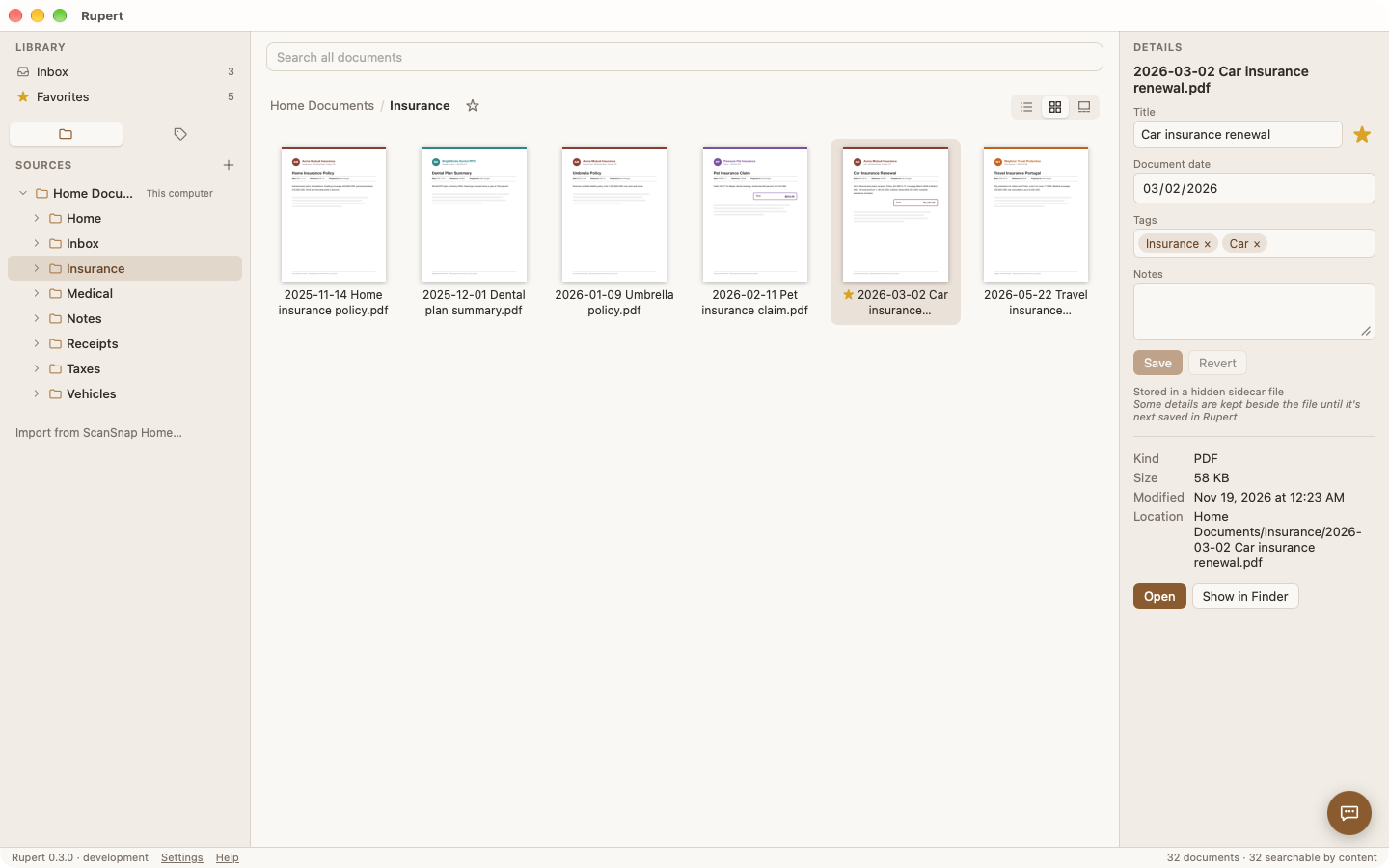
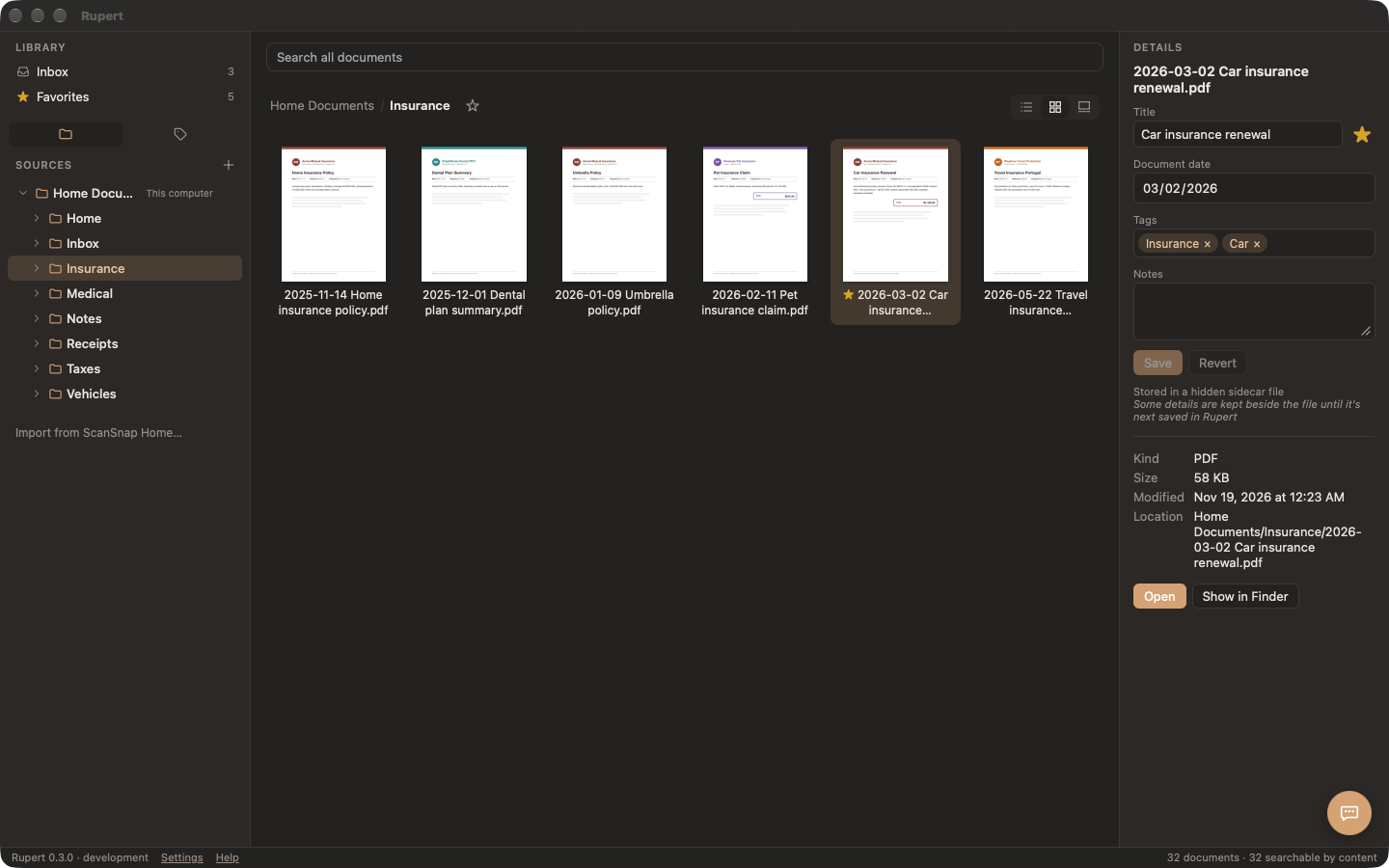 Light
Dark
Rupert follows your system's light or dark mode. Drag the handle to see both.
Ask Rupert
Ask for a document in plain words. Rupert searches your library, reads what he finds and shows it in the window. He speaks English, Spanish and German, and so does the rest of the app.



Mac · Windows · Linux · iPhone · Android
The same sidebar, the same search, the same inbox on every computer. Only the window's frame changes. On your phone, the same folders with the same titles and tags.


On a Mac, in the Finder's folders, iCloud Drive, OneDrive and Google Drive.
On Windows, with OneDrive and Google Drive's streaming drive, without downloading your whole Drive.
On Linux as an AppImage, .deb or .rpm, with any folder you sync.
On iPhone, read from iCloud Drive, OneDrive or Google Drive. Text and titles come from your computer.
Coming to Android: read from Google Drive or OneDrive, with scans from the camera. Not on Google Play yet.
Scanning


Add the folders you already keep documents in. Rupert shows them as they are and keeps up with every change, whether you make it in Rupert, the Finder or File Explorer.
Every word of every PDF, with the matches highlighted. Accents don't matter.
Titles, tags, dates and notes are saved inside the PDF, so they go wherever the file goes.
Files kept in the cloud are listed and searched without downloading them.
Scan from AirScan scanners on your network, straight into the inbox.
No account with us, no tracking, no ads. Text recognition and filing suggestions run on your computer, and Rupert is open source, so anyone can check.
Bring over its dates, favorites, receipts and recognized text, without moving a file.
Version 0.4.1 · free and open source · updates itself
Download RupertFor your computer, from Rupert's releases on GitHub.
All downloads, checksums and release notes are on GitHub. Optional: a Local AI app such as LM Studio or Ollama for filing suggestions and Ask Rupert; on Windows and Linux, Tesseract for text recognition.